
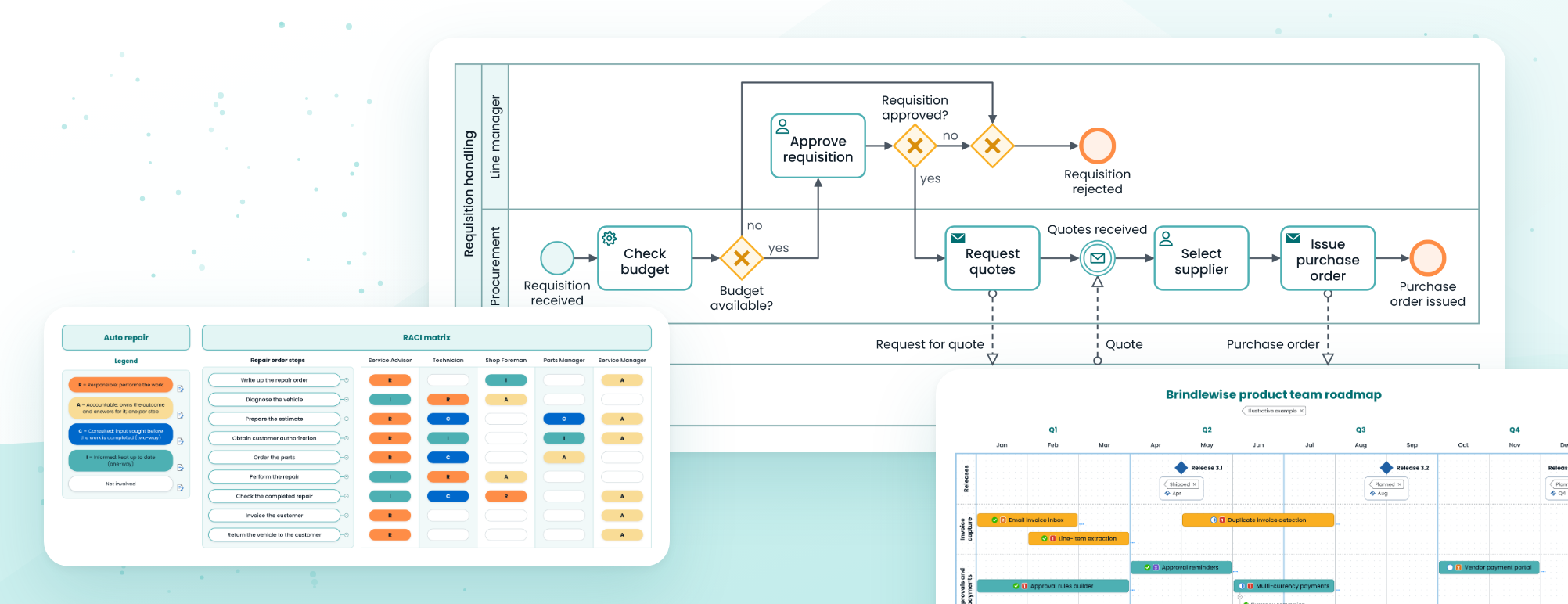
The latest update to MindManager gives teams more ways to plan, visualize, share, and standardize work.
With the new version, you can create process maps and business process model and notation (BPMN) diagrams directly in MindManager, start common project workflows from ready-made templates, use your own scalable SVG graphics, and work with maps and shared templates in Microsoft 365 environments.
Administrators also gain greater visibility into MindManager file usage across the organization.
In this update:
- Process mapping and BPMN shapes
- SVG support
- 11 new map templates
- Microsoft 365 map sharing
- Shared cloud template repositories
- New admin reporting on file usage
Build and customize visual content
Keep process work and visual content closer to the planning and information it supports, instead of relying on separate tools or static graphics.
New shapes for process mapping and BPMN
MindManager Windows
Create BPMN diagrams and process maps directly in MindManager with ready-to-use shape libraries. Map workflows, connect process steps, and document how work moves from one stage to the next while keeping the process documentation with the related map.
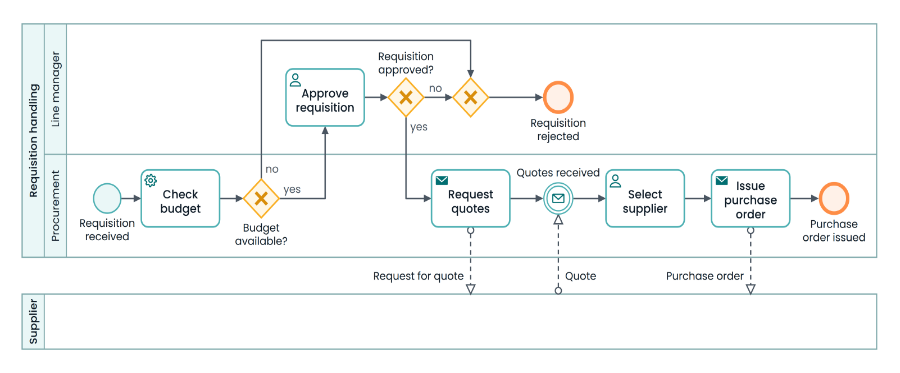
A purchase requisition process mapped with the new BPMN shapes.
Added SVG support for visual customization
MindManager Windows
Import your own SVG graphics as topic shapes, topic images, or background images. Use custom icons, symbols, and visual elements that stay sharp and scalable at any size.
Start common work faster
Give teams a ready-made starting point for recurring planning and project work with the structure already in place. No more building each map from scratch.
New map templates for planning and project work
MindManager Windows
Eleven new templates provide ready-made structures for common work: Basic Roadmap, Whiteboard Roadmap, Standup Meeting Template, Quick Brainstorming, Quick Brainstorming Board, Risk Register, Global Pipeline Map, Work Breakdown Structure, RACI Matrix, Project KPIs, and Project Dashboard Map.
Each starts with its structure already in place, giving teams a faster path to a usable working map.
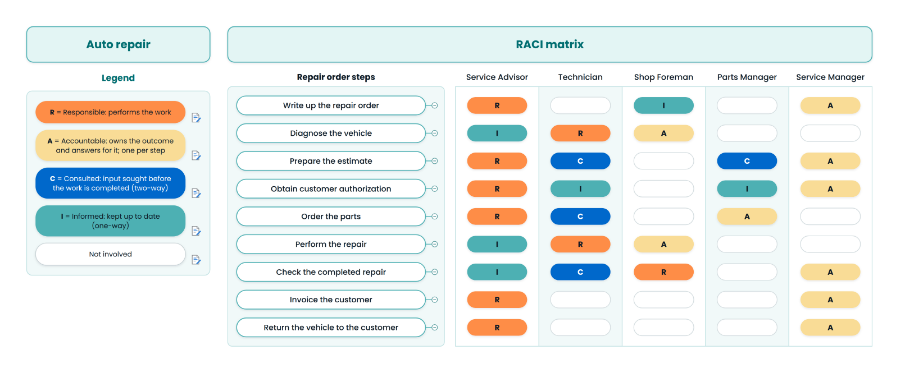
The RACI Matrix template, applied to a vehicle repair process.
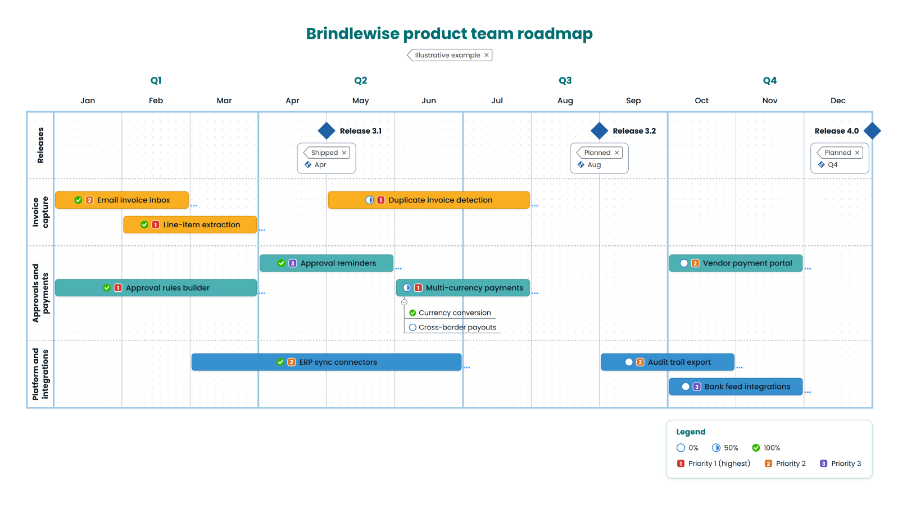
The Basic Roadmap template, showing releases, workstreams, progress, and priority.
Work more easily across Microsoft 365
Put maps and shared templates closer to where teams already store and access their work. Microsoft 365 capabilities require administrator configuration.
Map sharing through the Microsoft 365 file handler
MindManager Cloud
Open maps stored in SharePoint, OneDrive, or Microsoft Teams directly from Microsoft 365. Anyone can view a map in read-only mode in the MindManager HTML5 client without a MindManager license. Licensed users can open the same map for editing in the MindManager web or desktop apps. This makes map content easier to share with colleagues who don’t use MindManager.
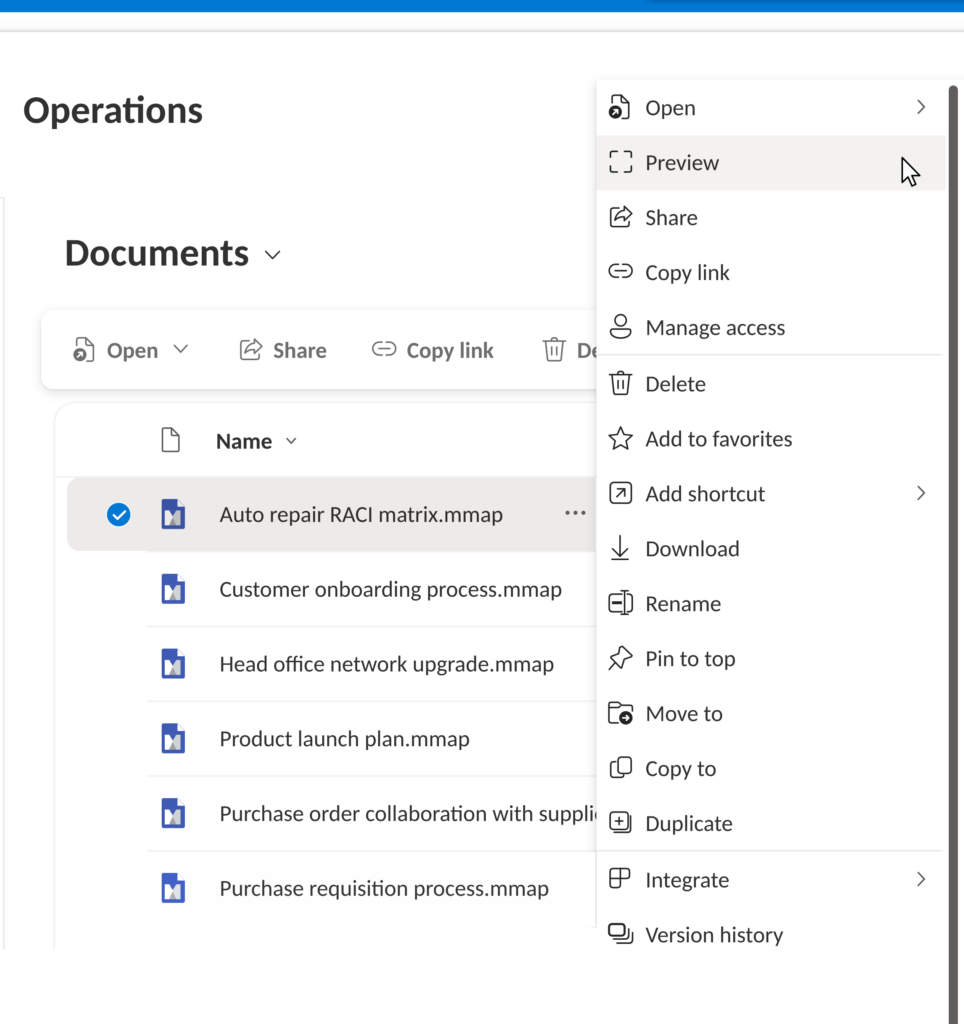
Previewing a map directly from a SharePoint document library.
Shared cloud template repository (Custom Content Locations)
MindManager Cloud
Open and save MindManager templates from OneDrive or SharePoint. Create a template once in a shared location, then give the whole team access to the same approved structure. This helps teams standardize how they start recurring work, with permissions already applied to the shared location.
Administration
See more clearly how MindManager files are stored and used across the organization.
New admin report: MindManager Files usage
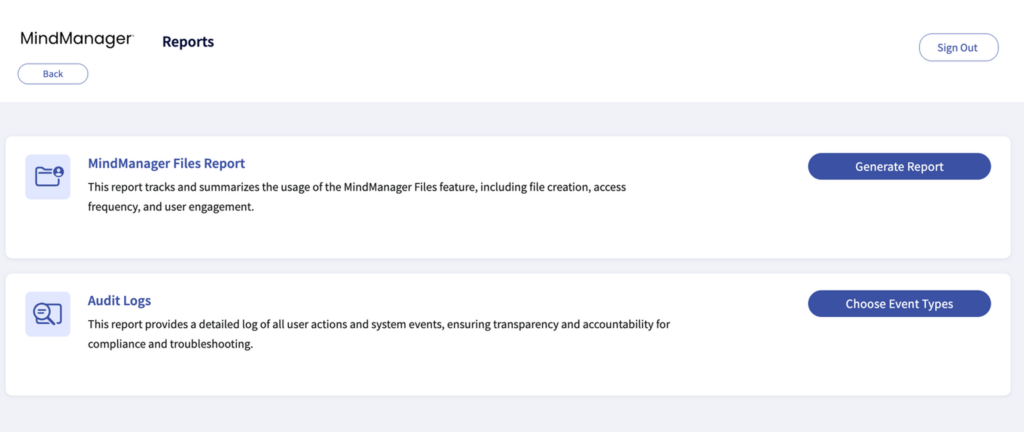
MindManager Cloud
See where MindManager files are stored and how actively they’re being used. The report adds file storage and usage visibility to the existing MindManager administrative reporting set, giving administrators more information about how MindManager is being used across the organization.
Fixes and improvements
Multiple issues reported by customers and identified through internal testing have been resolved across the Windows, Mac, and Cloud versions of MindManager. You can find the full list of fixes and enhancements in each platform’s release notes.
Get the latest version
If you have a current subscription or maintenance plan, this update is included for your MindManager account. Open MindManager and check for updates or download the latest version from your account.
New to MindManager? Start a free 30-day trial.
